What's New

NovelCraft Pro

Storyboarding and long-form drafting in one workflow. Plan scenes visually, write on paged canvases, and move from concept to finished manuscript faster.
Windows x64 macOS beta (Intel + Apple Silicon) Version 1.0.1
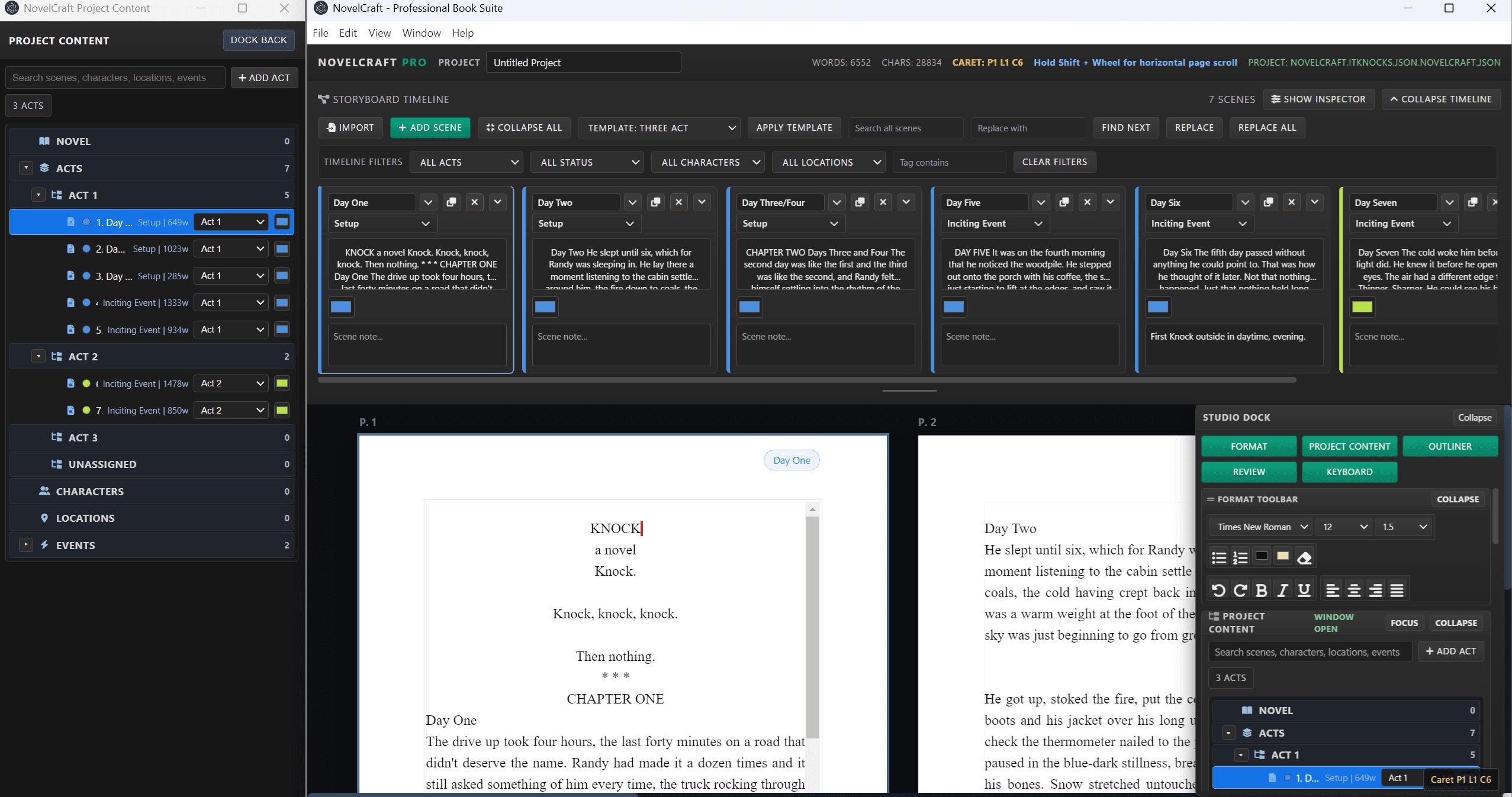
NovelCraft Pro full workspace with project content and storyboard timeline

Storyboard Timeline

Build scenes left to right, collapse beats, and keep story structure visible.

Drafting Workspace

Write on paged canvases with formatting controls and active scene context.

Outliner + Inspector

Track metadata, scene status, and narrative flow while drafting.

Production Stability

Autosave, project files, import/export workflow, and hardened runtime guards.

Explore Features
See the Core Workflows

Download Windows Installer
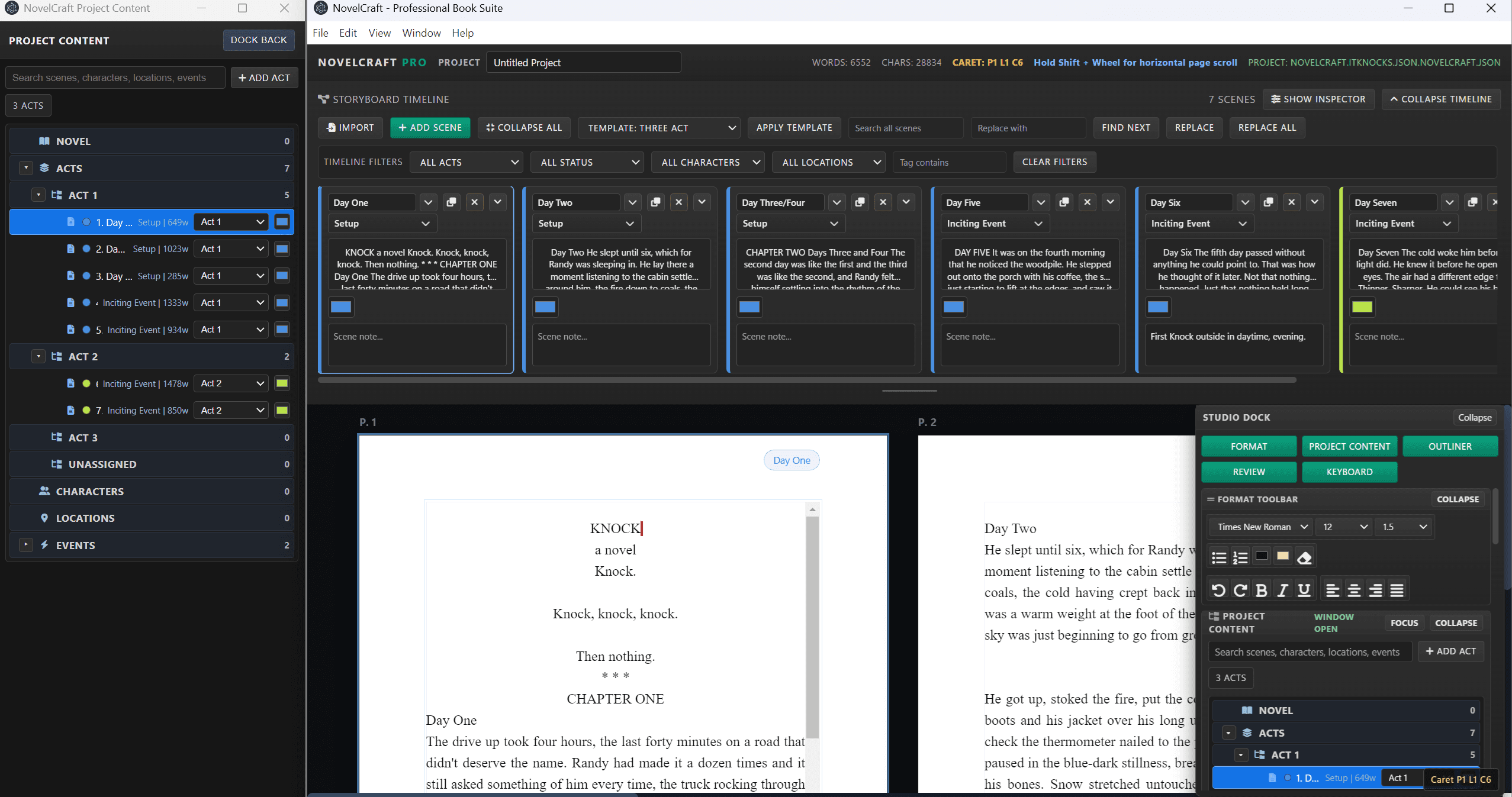
NovelCraft Pro overview with timeline and writing canvas

Workspace Overview

Timeline, writing pages, and tool nest in one cohesive production view.
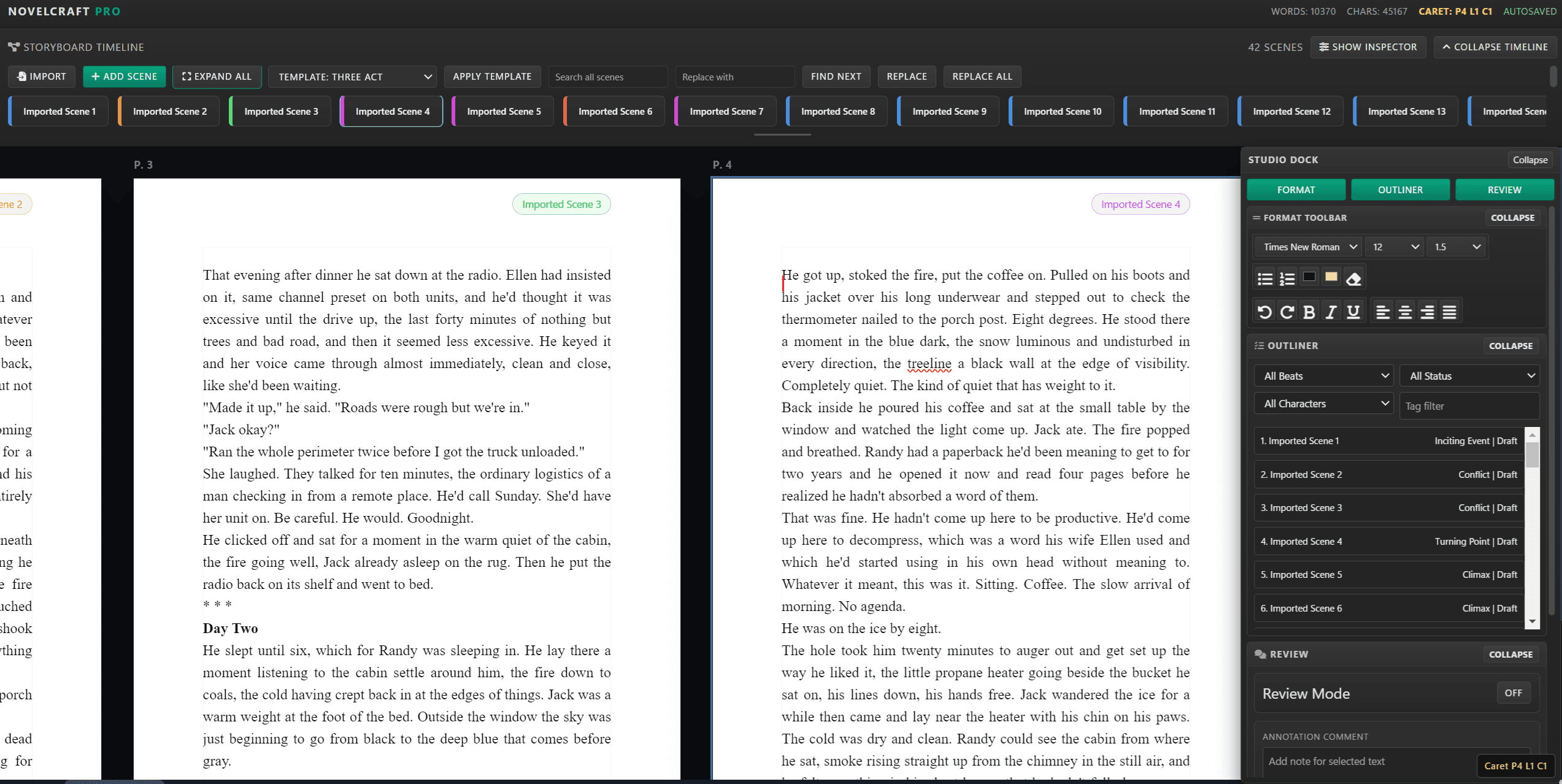
Scene notes and timeline interaction

Scene Card Workflow

Use cards to annotate scenes, capture notes, and organize story progression.

Scene tile controls and storyboard workflow

Scene Controls

Edit labels, beat type, and structure directly from the timeline tiles.
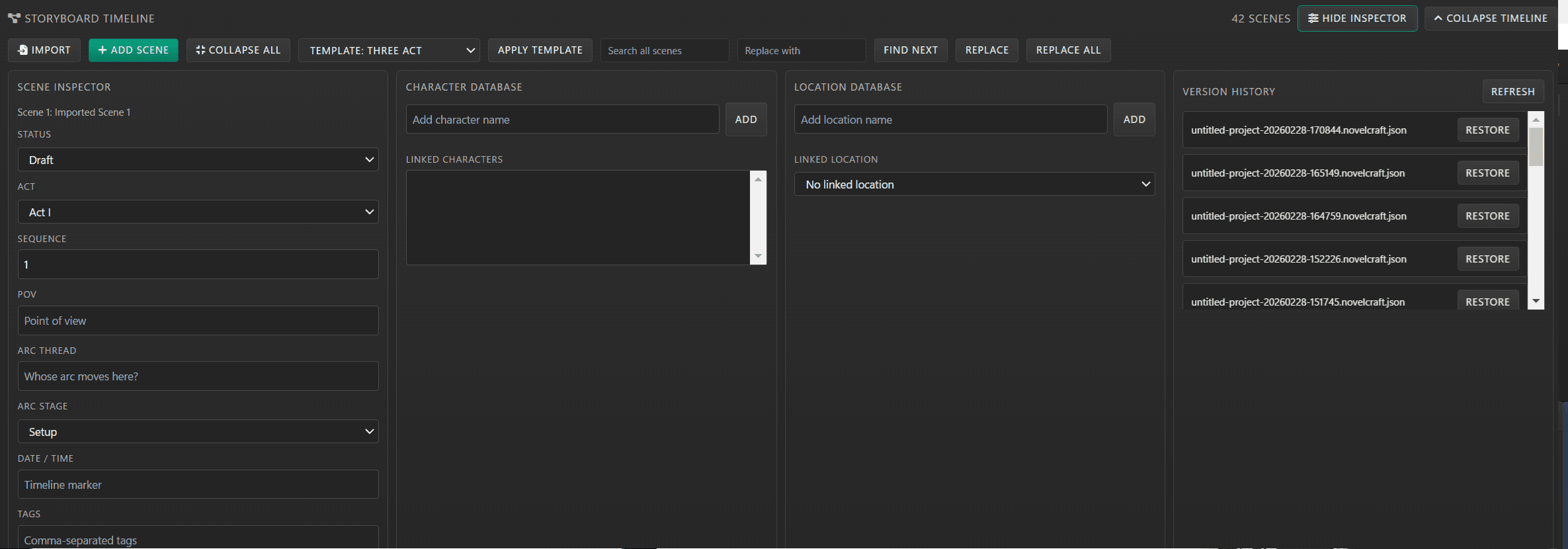
Inspector and metadata panel in NovelCraft Pro

Inspector Tools

Keep metadata, review context, and project management inside the writing flow.

Built for Story Teams

Creative Direction + Writing Execution

NovelCraft Pro combines story planning, drafting, and scene management in a single workflow so writers can stay focused without switching tools.

Get NovelCraft Pro
  • Interactive scene timeline with collapsible storyboard cards
  • Project Content menu and tree view included in the current Windows x64 installer
  • DOCX import with app-format normalization for reliable styling
  • Movable and collapsible toolbars with a dockable tool nest
  • Scene metadata, outliner filtering, and review utilities
  • Windows stable installer and macOS beta builds (Intel + Apple Silicon)

Ready to Install

Download NovelCraft Pro

Windows stable + macOS beta (unsigned), version 1.0.1, creator: CerebFastThinkTank.

Windows x64 installer has the latest Project Content menu update.

Download and Install Instructions

Follow these steps for Windows stable or macOS beta.

Windows x64 (Stable)

  1. Click Download for Windows and saveNovelCraft-Pro-Setup-1.0.1.exe.
  2. Open the downloaded installer file.
  3. If Windows SmartScreen appears, click More info then Run anyway.
  4. Choose install directory and complete setup.
  5. Launch NovelCraft Pro from your desktop shortcut.

macOS Beta (Unsigned)

  1. Download the correct build: Apple Silicon or Intel.
  2. Open the `.dmg` and drag NovelCraft Pro to Applications.
  3. On first launch, right-click the app and choose Open, then choose Open again.
  4. If blocked, go to System Settings - Privacy & Security and click Open Anyway.
Need help? Contact support from the Contact page.